
Choose and run a prebuilt team
Prebuilt teams give a shared goal to agents with defined roles, detailed system prompts, and an execution plan. They use the same Claude/Codex engines as ordinary conversations. Choose a template in Workflows → Team templates, inspect View layout, and choose Create team when it fits your task.
In native IDE 0.1.0-dev.4, use the Teams action on the native rail, then + New team, or run Cleetus: Open Studio. Choose the same template, review its detailed member instructions and discovered model/effort choices, create it, then explicitly Start team. Creating a team or opening a Design draft does not start agents. See IDE availability and Studio.
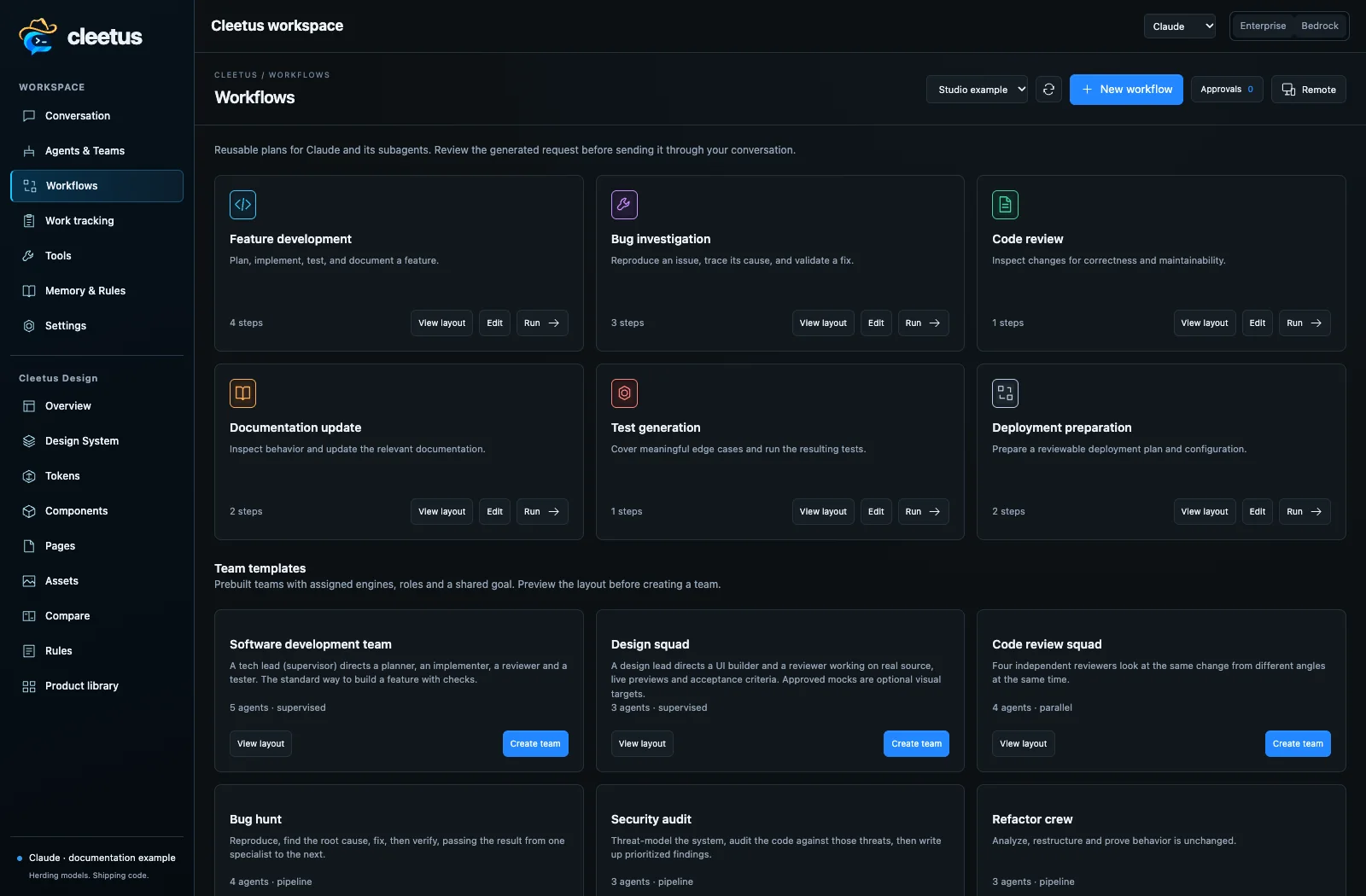
A workflow recipe is lighter: it prepares a reusable request for one conversation and lets that engine decide how to delegate. A mixed team is scheduled by Cleetus, with explicit member identities, reports, messages, and handoffs.
Which team should I choose?
| Team | Choose it when… | Members and execution | Example goal |
|---|---|---|---|
| Software development team | Building a feature across planning, implementation, review, and tests. | Supervised: Claude tech lead directs a Claude planner, Codex implementer, Claude reviewer, and Codex tester. | “Add account notification preferences, preserve existing defaults, and test save/error behavior.” |
| Design squad | Implementing or refining UI using the saved design system and approved references. | Supervised: Claude design lead directs a Codex UI builder and Claude design reviewer. | “Refine the account settings block, reuse its tokens, and review all consumers at mobile and desktop widths.” |
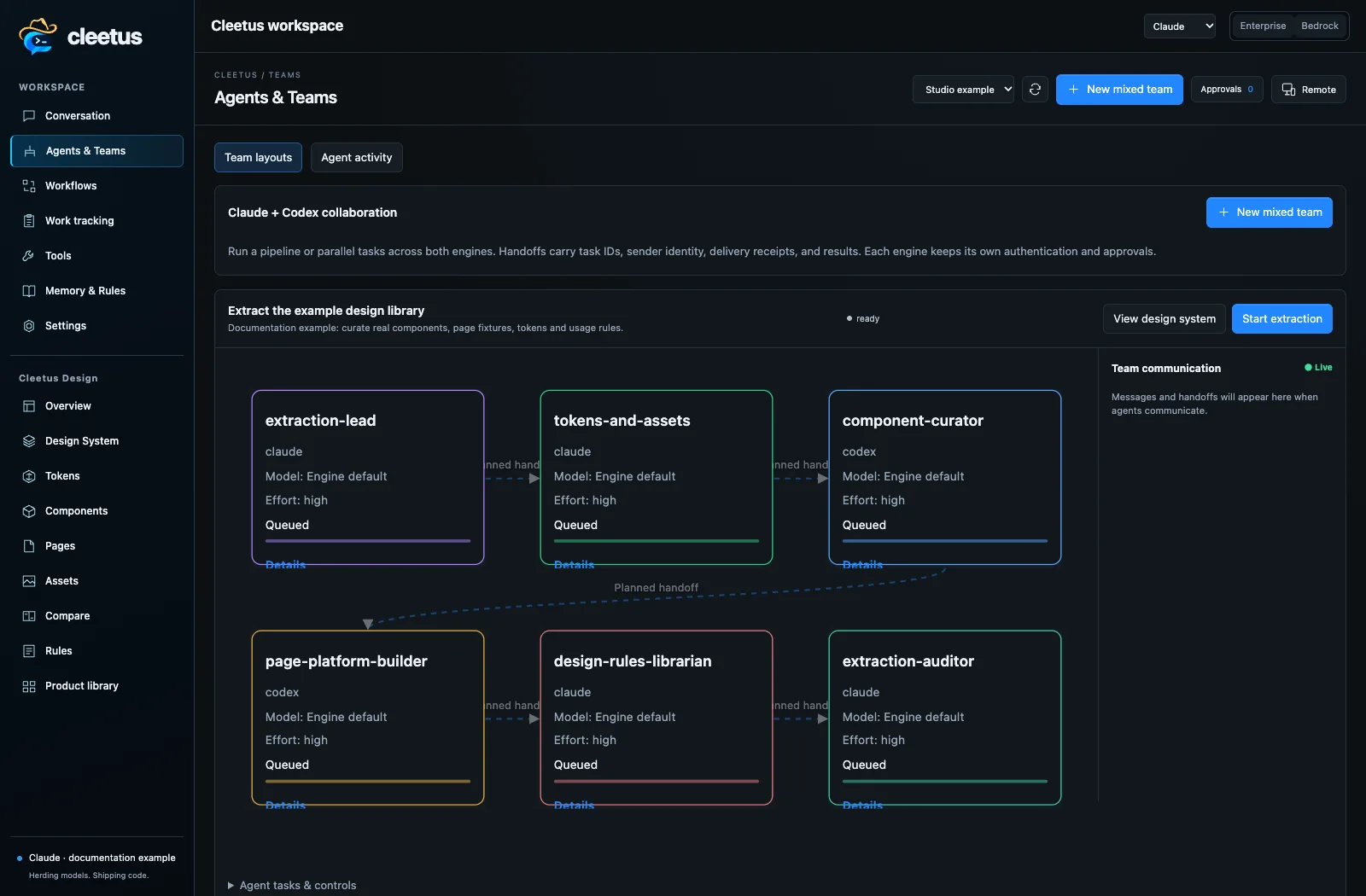
| Design System Extraction | Building or hardening the design library from existing source or a permitted website. | Pipeline: Claude discovery lead → Claude tokens/assets → Codex component curator → Codex page/platform builder → Claude rules librarian → Claude auditor. | “Extract this repository's design system, register real previews, and report unresolved runtime coverage.” |
| Code review squad | Reviewing an existing change from several perspectives without assigning a feature build. | Parallel: Claude correctness/security reviewers and Codex test/maintainability reviewers. | “Review the current diff for authorization defects, regressions, missing tests, and maintainability concerns.” |
| Bug hunt | Reproducing and fixing a concrete defect with an independent verification stage. | Pipeline: Codex reproducer → Claude root-cause analyst → Codex fixer → Claude verifier. | “Reproduce the lost form state after navigation, fix its cause, and verify the original reproduction.” |
| Security audit | Investigating the code's security risks and producing a prioritized report. | Pipeline: Claude threat modeler → Codex code auditor → Claude security reporter. | “Audit file uploads and tenant boundaries; include concrete code evidence and remediation priorities.” |
| Refactor crew | Improving structure while preserving behavior. | Pipeline: Claude analyst → Codex refactorer → Claude regression checker. | “Separate persistence from UI logic without changing behavior; demonstrate existing checks still pass.” |
| Docs and research | Investigating repository behavior, writing documentation, and checking its claims. | Pipeline: Claude researcher → Claude writer → Codex fact checker. | “Document installation and provider configuration with commands checked against this repository.” |
| Lean pair (cost-efficient) | A small, well-defined implementation with a separate review. | Pipeline: Codex implementer → Claude reviewer; Low effort preset. | “Add the missing empty-state message and review the diff for regressions.” |
These are starting roles, not guaranteed outcomes or fixed vendor/model requirements. Inspect the actual template before starting; saved template edits can change its settings. Security reviews are code investigations, not certifications. Detailed roles and tool permissions remain important even when all members use the same engine.
Configure and start
- Open the target project and connect the engines you intend to use.
- Select the template and write a concrete goal: desired behavior, scope, constraints, and acceptance checks.
- Inspect the workflow mode and each member's role, task, system prompt, engine, model, effort, and MCP access.
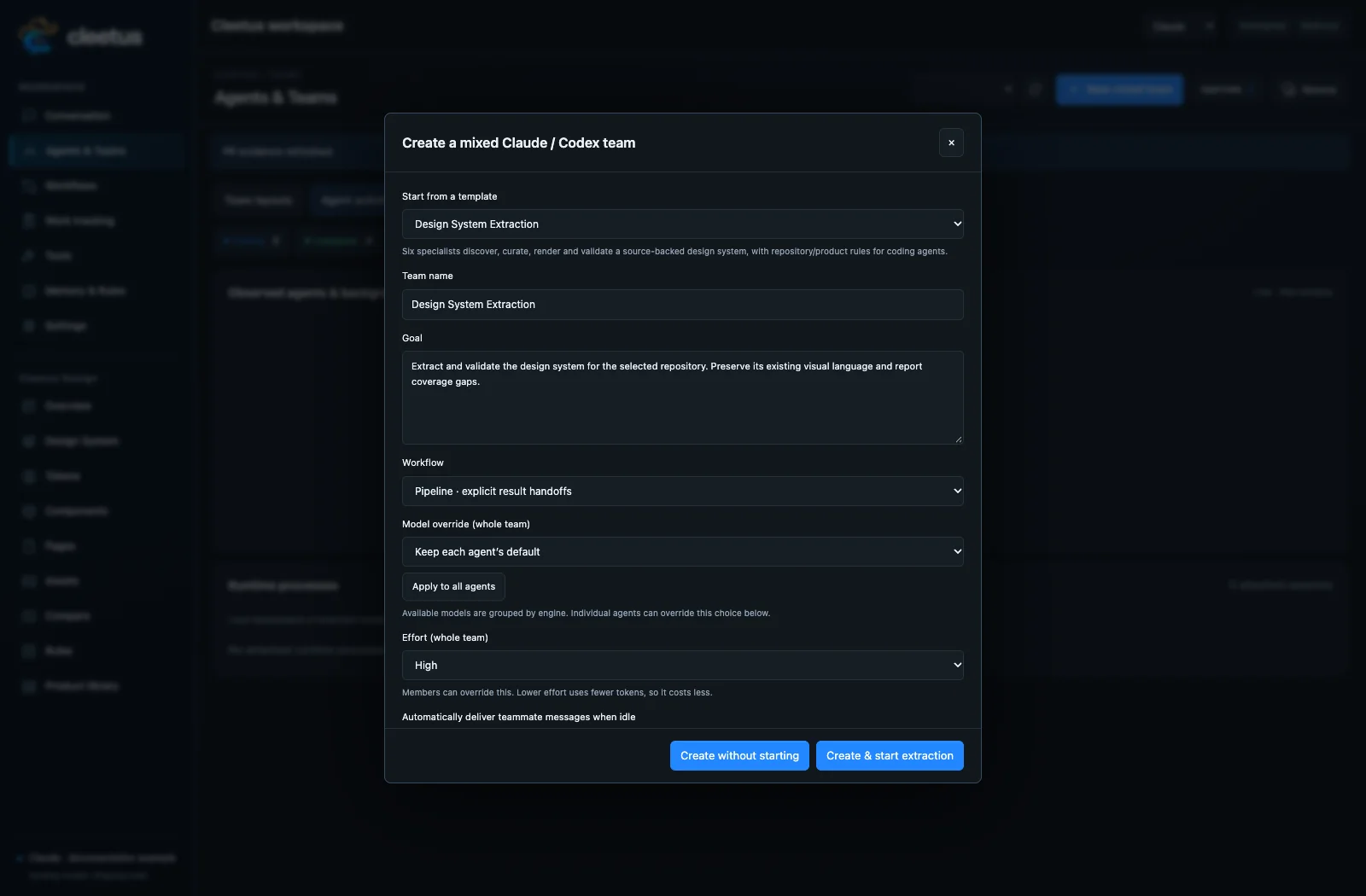
- Keep engine-default models or choose available catalog models. Whole-team choices are grouped by engine/backend; individual members can override them. A supervised team requires a Claude supervisor.
- Set team effort and any per-agent overrides. Blank per-agent effort inherits the team setting. Extraction recommends High; the lean pair presets Low. Other templates can have their own member settings.
- Create the team and start its workflow. Extraction offers Create & start extraction or Create without starting.
- Review messages, approvals, output, reports, and actual artifacts in Agents & Teams.
Agent details in a template layout let you inspect and save its model, effort, system prompt, and MCP settings. Ready-team agent settings can also be edited before launch; started agents cannot be reconfigured through that pre-start editor. Refresh/reopen when another window has changed the saved settings.
Recognize agent specialties
Each of the 33 distinct roles in the prebuilt teams and workflow recipes has its own Cleetus robot portrait. This includes separate portraits for reproducer, root-cause analyst, fixer, verifier, each review specialty, and each extraction specialist. The full set has 40 artwork identities, retaining the original domain portraits plus a generalist robot for unspecified or unrecognized roles. Cleetus resolves exact prebuilt roles before broad specialty aliases, so a design lead and a design reviewer do not share an image. The same role keeps its portrait across team cards, messages, topology views, native agent lists and shared team views opened inside the IDE.
Portraits describe specialties, not authority or progress. The separate engine, model, effort and status labels show the agent’s actual configuration and recorded state. Change its instructions and tool assignments through agent settings; changing a role label alone does not change its permissions.
Understand the execution mode
- Pipeline: stages run in order. An explicit completed report hands results to the next stage. An ended turn without that report pauses for review.
- Parallel: members run independently in the same working tree. Divide file ownership or use separate worktrees where necessary.
- Supervised: only the Claude supervisor starts initially. It assigns work, starts members, reviews results, and reports back. Use its message controls to give direction.
Use Output to inspect actual work, Message to provide direction, and approval controls to answer tool requests. A blocked member needs a concrete recovery action. Accept & hand off is your explicit review decision; use it after inspecting the result. Stop a team to interrupt its agents. Delivery limits prevent unlimited task/message loops.
Ready teams can be reopened for editing. In current IDE/source development builds, stale edits from another window are rejected and a live team belongs to its launching coordinator. Saved completed, cancelled, failed, and interrupted history retains output/messages; stopped-owner work becomes interrupted and queued handoffs are cancelled without replay. Historical records are read-only. Saved records are never proof of process reattachment. See IDE tasks and recovery and the service guide.
Design squad or extraction team?
Use Design System Extraction to discover and curate what the product already has: tokens, assets, composed components, pages, platform fixtures, contracts, and rules. Starting from Design fills the repository/scope into normal team setup. Its View design system action returns to that project's saved artifacts.
Use the Design squad to implement or refine an interface against those decisions and approved references. A component/page studio task can prepare a focused team or Conversation draft with source, fixtures, contracts, rules, and acceptance criteria. Preparing a draft does not send it or start agents automatically.
Design extraction · Component refinement · Workspace operations
Collaborate across computers
The 1.11.2 extension and native dev.3 build add opt-in Collaborate on LAN. Select an existing local team in this project. Pair with another person’s team on the same private IPv4 subnet over TLS 1.3 using a copied one-use invitation and matching eight-digit codes approved by both people. Starting a team is not required to pair it.
Each outgoing proposal and incoming import needs local approval. Accepted tasks become pending local tasks; approved messages stay in a separate team inbox, available through scoped agent tools rather than automatically becoming an agent prompt. Pairing grants no files, commands, provider accounts or credentials. See network collaboration for setup, scoped agent tools and reconnection behavior.